Books / Google for Nonprofits, Set Up Right
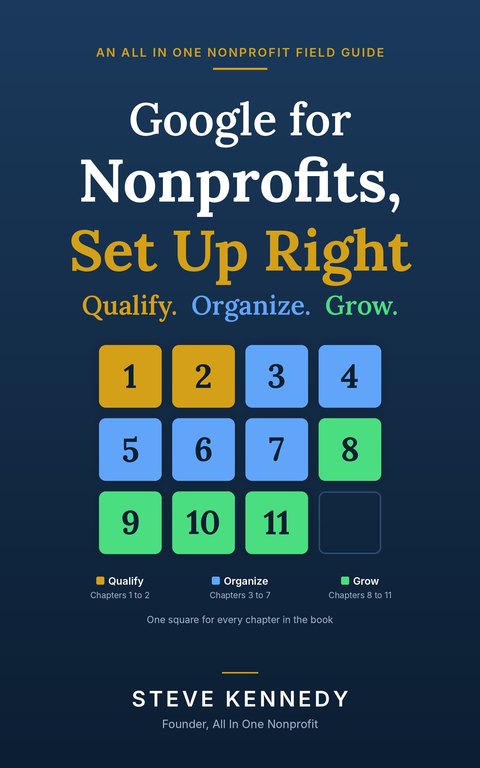
Google for Nonprofits, Set Up Right
by Steve Kennedy
Qualify. Organize. Grow.
Google gives qualifying nonprofits email on their own domain, shared files, calendars, video meetings and AI tools at no cost. What Google's own help does not explain is the part that matters most to a nonprofit: who should own each account, where the board's records should live, and what happens on the day the treasurer moves away. This book sets it up once, so the organization owns it and the next volunteer can run it. Each chapter opens with a story from an invented adult literacy nonprofit facing the same problem you are, then gives the work in plain steps with the reason behind each one, the mistakes people make, and a short checklist.
Checkout by Stripe. BookFunnel emails your ebook within minutes, ready for Kindle, Apple Books, Kobo, Nook or the free BookFunnel app.
Eleven chapters and five appendices
Qualify · Chapters 1 and 2
- Chapter 1Who Qualifies, and the One Exclusion That Catches People
- Chapter 2Applying, Step by Step
Organize · Chapters 3 to 7
- Chapter 3Set Up So the Organization Owns It
- Chapter 4Email That Arrives
- Chapter 5Files the Board Can Find in Ten Years
- Chapter 6Meetings, Calendars and Forms
- Chapter 7AI Without Risking Donor Data
Grow · Chapters 8 to 11
- Chapter 8Google Ad Grants
- Chapter 9YouTube and Maps
- Chapter 10When to Pay for an Edition
- Chapter 11Making It Stick
Appendices
- AThe Setup Checklist on One Page
- BAn Account Ownership Policy
- CAn AI Use Policy
- DThe Handover Checklist
- EGlossary
A sample: how Chapter 1 begins
Chapter 1: Who Qualifies, and the One Exclusion That Catches People. The story.
The October board meeting of the Bluewater Literacy Project ran forty minutes long, and thirty of those minutes were about a spreadsheet nobody could open.
Gary Pruitt, the treasurer, had shared the budget the night before. Three directors got a message saying they needed permission. One got in on her phone but not her laptop. Priya Raman, who ran the tutor program, had the link but was signed in to her school district account, which would not let her open anything from outside the district at all.
Denise Holloway, the board chair, waited until the end. She had spent thirty-one years as a reference librarian, and she asked the question she asked about everything. "Where would I look for this in ten years?"
What comes with the book
- Every chapter's checklist on one page, ready to print.
- An account ownership policy and an AI use policy your board can adopt as written or adapt.
- A handover checklist for the day an officer, staff member or volunteer leaves.
- A glossary of the terms that make technology people sound like they are speaking another language.
- Steps described in words rather than screenshots, because screens change first.
- Not affiliated with, sponsored by or endorsed by Google LLC. General guidance, not legal, tax or accounting advice.
What readers say
Free on an annual plan
Organizations on a paid annual plan of All In One Nonprofit get every book here free, inside the platform. See the plans at https://www.allinonenonprofit.com/pricing/.
About the author

Steve Kennedy is the founder of All In One Nonprofit. He has served volunteer-run organizations for decades, as a director, as president and as the person everyone called when the tools were too technical. More about Steve
More books
The First 90 Days series, Tips for the Day and the free Giving Tuesday guide: https://www.allinonenonprofit.com/books/